Posts

Showing posts with the label Blog layout

How to center gadgets in Blogger

Image
This article is about centering gadgets from 3rd parties that you install onto your blog. Previously, I've described how to put HTML code from a 3rd party into your blog . When code like this is put into a gadget , one common question is "how do I center it?" There are (at least) three options for doing this, ie for putting a gadget into the middle (horizontally) of the area it is located in.   These are described below. Option 1: Centre all the gadgets in your blog To center-align every single gadget in your blog, just, add a CSS rule to your blog .  The rule to add is: .widget {   text-align: center; }  This will centre the contents and title of every gadget on your blog. Option 2: Only center-align the specific gadget To only centre-align one gadget, which is made from HTML/Javascript code, you can just put the gadget-code from the 3rd party (eg PayPal, Amazon, etc) inside a centering statement, like this: <div style="text-align: center;"> PUT THE...
Lining up the first post and the sidebar

Image
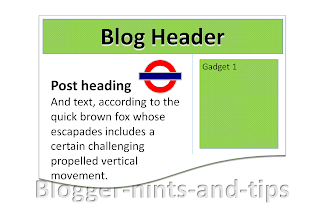
In some Blogger templates, there is a big gap between the bottom of the header and the start of the first post, and this means that the posts and the sidebar are not aligned.  This article explains how to adjust the gap, and so remove that problem . In the templates that Blogger provides , as well as all third-party templates, the amount of space between elements on the screen is not accidental:   designers put a lot of effort into working out what spacing will look good, and then finding ways to put CSS code into the template so that the spacing they want is shown in any browser software that Blogger supports. But there are times when you may want to change this spacing, and this is easy to do, provided you are willing to accept the disadvantages of editing your template , and if  you can work out exactly which part of the template code to change. The pre-Header gap A pet-hate of mine is the blank space above the first post, which looks strange unless you put something...

How to put a gadget above your blog's header

Image
This article is about how to put an item (any type of gadget) above the Title section in a blog made with Google Blogger. If your blog has a layout or designer theme / template , then it most probably has a nav-bar at the top of the screen, followed by a Header section showing your blogs title & description, or a custom header image if you've uploaded one. And even if you go into the place in the layout-designer where you can re-arrange the layout by drag-and-dropping items, you cannot drag any gadgets to above the header . But this is easy to change, provided you are willing to accept the disadvantages of editing your blog's theme . How to allow changes above your blog's header Follow these steps to make it possible for you (or any blog administrator ) to add gadgets to the area about your blog's heading section: 1  Edit your blog's theme  in the usual way 2   Find this code in your theme: <b:section class='header' id='header' maxwidgets=...

How to add a badge to a blog made with Blogger

Image
This article is about how to add a badge that someone else gives you to a blog made with Blogger. Sometimes, blog-owners run a blog-a-thon or a similar circle-of-blogs event. One aspect of taking part is by showing a badge for the event on your own blog , so that your visitors are invited to take part and to view other participants' blogs too. Usually who-ever is hosting the event gives you the code for the badge, and tells you to install it into your own blog.   Sometimes they even tell you how to install it to your Wordpress blog - like this . Fortunately, installing a badge to a blog made with Blogger is equally easy. Installing a badge to Blogger Decide where you want to put the badge.   Traditionally badges go into the sidebar, but you could choose to put it into the header or footer, into the space above or below your posts, or even into an individual post. Get the HTML code for the badge. NB   If the other party doesn't give you the code, or if their code is nei...

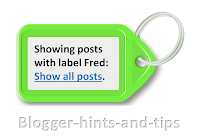
Delete, change or re-format the "Showing posts with label" message.

Image
This article explains options for deleting, or changing the content or formatting of Blogger's "Showing posts with  LABEL.  Show all posts" message and it's ugly grey box. If your blog has a Layout or Designer template , then when a person who is reading it chooses a label value, Blogger displays a page with (a summary of) your most recent posts with that label. If there are more posts that Blogger is willing to show on one page, then there will also be "older posts" and "newer posts" links at the bottom of the page. And - unless you have removed it - there will also be a message at the top of the page saying "Showing posts with label yourLabel. Show all posts " Reader actions that cause a visitor to see this message include: Clicking a value in your Label gadget Clicking a label value that is displayed in your post header or footer (unless you have turned them off in the Layout > Blog Posts edit option). Clicking a link that you have...