Posts

Showing posts with the label CSS

How to center gadgets in Blogger

Image
This article is about centering gadgets from 3rd parties that you install onto your blog. Previously, I've described how to put HTML code from a 3rd party into your blog . When code like this is put into a gadget , one common question is "how do I center it?" There are (at least) three options for doing this, ie for putting a gadget into the middle (horizontally) of the area it is located in.   These are described below. Option 1: Centre all the gadgets in your blog To center-align every single gadget in your blog, just, add a CSS rule to your blog .  The rule to add is: .widget {   text-align: center; }  This will centre the contents and title of every gadget on your blog. Option 2: Only center-align the specific gadget To only centre-align one gadget, which is made from HTML/Javascript code, you can just put the gadget-code from the 3rd party (eg PayPal, Amazon, etc) inside a centering statement, like this: <div style="text-align: center;"> PUT THE...
Lining up the first post and the sidebar

Image
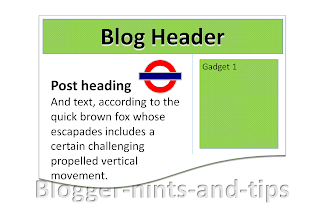
In some Blogger templates, there is a big gap between the bottom of the header and the start of the first post, and this means that the posts and the sidebar are not aligned.  This article explains how to adjust the gap, and so remove that problem . In the templates that Blogger provides , as well as all third-party templates, the amount of space between elements on the screen is not accidental:   designers put a lot of effort into working out what spacing will look good, and then finding ways to put CSS code into the template so that the spacing they want is shown in any browser software that Blogger supports. But there are times when you may want to change this spacing, and this is easy to do, provided you are willing to accept the disadvantages of editing your template , and if  you can work out exactly which part of the template code to change. The pre-Header gap A pet-hate of mine is the blank space above the first post, which looks strange unless you put something...

Adding tooltips or hover text to Blogger posts and gadgets

Image
This article is about putting a "tooltip" (text that is shown when you hover over) into something (eg text, a web-address or even a picture) in a Blogger post or gadget. What are tooltips? Tooltips are a feature found in many websites and modern computer based software:  when a viewer hovers their mouse over an item, a small piece of text is shown, generally formatted in a box which is highlighted in some way. They can be used for all sorts of things, to provide definitions of technical or foreign-language words, additional information about particularly interesting concepts - or as an incentive or invitation to take an action  eg you could tool-tip "click here to enter" with a description of the prize or benefits of entering.) You can see them in Blogger's Post Editor when you put your mouse over an item in the toolbar. But tool-tips can be used on other things too, including pictures and text: put your mouse over This Text to see one. They can be particularly...