Posts

Showing posts with the label ZZ - needs 2017 theme review

Putting a badge for a Facebook Page into your Blog

Image
This article describes making a Facebook badge to promote your page, and putting it onto your blog. What is a Facebook page This article is about how to make a badge to promote a Facebook  Page . This is an example of the "follow me" approach to linking your blog and the social networks , although for Facebook pages your reader becomes a Fan rather than a Friend. Many people are confused about when they should use each of the types of "thing" in Facebook, ie Profiles - accounts for flesh-and-blood, living, breathing, individual people Pages - for websites, brands, and organisations that don't want to approve all their Facebook members Groups -  for organisations that want to approve individual members who join (and in return, group-owners can send private messages to individual members. The most common "thing" for blogs to have is a Page - and a Badge is the tool which Facebook provides to help you to promote a Page on your blog or other website. Ho...
Lining up the first post and the sidebar

Image
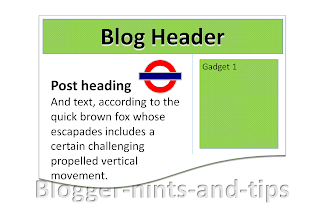
In some Blogger templates, there is a big gap between the bottom of the header and the start of the first post, and this means that the posts and the sidebar are not aligned.  This article explains how to adjust the gap, and so remove that problem . In the templates that Blogger provides , as well as all third-party templates, the amount of space between elements on the screen is not accidental:   designers put a lot of effort into working out what spacing will look good, and then finding ways to put CSS code into the template so that the spacing they want is shown in any browser software that Blogger supports. But there are times when you may want to change this spacing, and this is easy to do, provided you are willing to accept the disadvantages of editing your template , and if  you can work out exactly which part of the template code to change. The pre-Header gap A pet-hate of mine is the blank space above the first post, which looks strange unless you put something...

mail2Post: How to update your blog by email, instead of using Blogger

Image
Blogger's mail2Post tool lets authors make blog-posts, without using the Blogger software.   All you need to do is set it up, and write posts using your regular email tools. Mail2Post and Blogger The mail2Post feature, sometimes known as Post-to-profile, is a way of putting content on your blog without using the full Blogger software for writing the post. It's not quite as good as using Blogger itself - there are a few features missing - but it is good enough in many situations. How to set up mail2Post Log in to Blogger with the Google account that you want to have mail2Post rights to your blog:  this account needs to already be set up as an author for the the blog. Go to The Settings tab - if you are logged on with an author account, or The  Settings > Email  tab if you are using an administrator account   Beside  Posting using email , there is a place where you can enter some "secretWords", to make up an email address that you can use to post to your...

Taking action when someone has copied your blog without permission

Image
This article is about the steps you can take when someone has made an unauthorized copy of something that is published on your blog. Finding out that your blog has been copied Previously, I've described how copyright applies to blogs in very general terms, and the steps you can take to apply copyright protection to your blog . Even if you follow these these steps, if you put material onto the internet it is quite likely that someone will copy it. This maybe done out of naivety, or as a deliberate attempt to rip you off, or as part of an organised spam-blogging ("splogging") operation. There are several way you might find out that someone has copied your work: You, or your friends, notice it Maybe you or one of you readers searched for a certain phrase and you found your content elsewhere.  Or maybe you found a link to an identical post on a help-forum or discussion board.  If you use a lot of in-post linking (ie you link to another article in your content), and notice ...

Displaying a gadget only on the home page - or only on a specific page

Image
This article is about how to set up a gadget / widget in Blogger so that it is only visible on the first place that a reader sees when they visit your blog (often called the "home page").   It is one of a series of articles about controlling what goes on the homepage of your blogspot blog. Front Page Bob By Paginator (Own work)  [ CC-BY-3.0 ], via Wikimedia Commons There are a number of reasons why you might want to put a gadget only the screen that shows when a visitor first navigates to your blog's home page. You may want to show a welcome message, or a topic-index page, or to give a view of your recent tweets or some other RSS feed.     No matter what the reason, the process is very similar: How to make a gadget only appear on the first page Note:  in Blogger, the words "gadget", "widget", and even "page-element" all mean the same thing.  I generally use "gadget", because the Page Elements tab currently says "Add a Gadget...

Making someone an author on your blog

Image
This article shows you how to set up another person (ie another Google account) as an author for your blog. Google, Blog-Authors and Blogger Setting someone up as an "author" in Blogger is one way that you can let other people post to your blog. It's easy to do: you tell blogger to create an invitation, which sends the person an email saying you would like to be an author, they click a link in the email and then sign in with a Google account to accept the invitation. And once it is done, the person can write and edit their own posts. All you need to know is the person's email address: it doesn't matter if it's a gmail address or not.  You can send invitations to people with hotmail, yahoo, and indeed any email address where your invitee can read their email.  However the other person will need to use a Google account  (which doesn't necessarily include Gmail) to accept the invitation: don't waste time inviting people who are allergic to Google and...

How to put pictures into unusual shapes, using PowerPoint

Image
This article explains how to put a picture that is one shape (a "square peg") inside an image of another shape (a "round hole" - or star, elipse, octagon, etc) - using Microsoft PowerPoint. Original title:   How to put a square peg into a round hole - in pictures Recently, I've been using PowerPoint to make the thumbnail image  for my posts. This means that I own the copyright of the pictures, so can share them without worrying about copyright issues . One approach I've used is to find an interesting copyright-free picture that is related to the theme of the post, and then put it inside a shape that adds some visual interest or has some words along side it.  Another thing that I'm going to try is using multiple pictures in this way to make a more-interesting-than-usual collage. How to put a picture inside a shape NB PowerPoint commands are based on Office 2007 and 2010 - but the same principles most-likely apply in other versions where the commands may...

How to find the URL for a picture in Google Photos

Image
This article describes how to get the URL or internet address of a picture in Google Photos, and the difference between Google's shareable links and URLs. Google Photos is a tool that help bloggers (and everyone else) to manage their picture collections. It replaces Google+ Photos, and works alongside Picasa-web-albums.   You can read more about it here . In Google Photos, there are two different types of web-address for a photo. One is the URL , and this can be used to refer to pictures from Blogger, or from other tools that want a link that just shows the photo, eg Twitter, Google Maps.  This is the traditional style of internet-address for a photo. The other is the shareable link.   This is what Google Photos provides from the Share function.   Shareable links can be used in Facebook, and other places where the photo that is being shared is displayed within a web-display, rather than just as a picture.   (Ref:   How to make and manage shareab...

How to tell Google about problems with activity on your AdSense account

Image
This article describes a way to tell Google about problems with activity on your AdSense account. I noticed a link to an Invalid Clicks Contact form in a recent blog-post from Google. You can find the form here . Basically, this is a way to tell Google if you think that something has gone wrong with your AdSense account, for example if you are being click-bombed or similarly targeted by malicious people or activity. This caught my attention because exactly that happened recently here on Blogger-hints-and-tops: from reading the AdSense help forums, it seems that bots (or something) were attacking Link Units, and suddenly lots of people were getting huge increases in both click-through rates and revenue-per-click. At the time, I followed the advice given there: Remove the Link Units,  Remove the site from the approved list   Post a "me too" message on the support forum thread,  Wait for Google to act against the bad guys.  But it still felt wrong not to take a more ...

Using a custom domain for something other than your Blogger blog

Image
This article is about how you can use a custom domain that was purchased through Google / Blogger for something other than a Blogger blog. Blogger makes it very easy for you to buy a "custom" domain name (ie URL) for your blog.   Instead of being www.fred-fish.blogspot.com, you can easily be www.fred-fish.com - which is more appealing for all sorts of reasons. Blogger tells you which domain registrar they're going to use and lets you change to the other one if you want to.  Apart from this, Google hides most of the "technical" domain registration details from you:  you are invited to set up a domain administrator account (in Google Apps) , but even this is optional.   But there may come a time when you want to use your domain for more than just a blog:  eg, Fred may want to use www.fred-fish.com to sell fishing trips or as the public gateway to a massive database of fishing achievements, neither of which are functions that Blogger (easily) provides. To use...