Posts

Showing posts with the label Labels

Using Labels to categorize your Blogger Posts

Image
This article explains how to use Labels to categorise the Posts in your Blog, and how you can get around some of the limitations in Blogger's categorising tools. Why categorise your Posts Grouping your blog's contents makes it easier for people who have reached your blog via Search to find other posts that they may be interested in - provided you add tools to your blog that let them navigate using labels. It's essential if you want to make it look like you have put your Posts into Pages . And it helps you to find posts yourself. Blogger's tools for working with categories The only tool that Blogger provides for categorising or grouping Posts is Labels . In short, Labels are tags that you apply to posts . Each post can have as many Labels as you want (there is an upper limit of 5000 labels-per-blog, but most people don't get near it). And you can use labels for different purposes.  For example, a post titled "Photographing Long-haired Black Cats" could hav...

How to change Labels on more than one post at a time

Image
This article shows how to edit the name of an existing Label value in blogger, without editing each individual post that it's applied to. Blogger and Labels Previously, I've explained that labels are tags you can use to categorize your blog posts , and that the are the raw material of putting your posts into pages . But what happens if you want to change the value of a label? For example, if you have a lot of posts that are labelled "Colour", but you find that most of your visitors are from the US and think you have poor spelling! It would be nice if Blogger had a feature that said "change all X labels to Y labels" - but it doesn't (at moment, anyway). One option is to edit each post individually, removing the old label and adding a new one. This works, but can be time consuming. A better option is to use the bulk-labelling tools. This is a lot easier, though not quite as easy as you might think. Blogger's Post-Dashboard labelling tools This picture...

How to put put Posts into Pages in Blogger

Image
This article shows how to set up your blog, using Blogger, so that it looks like your posts are on separate web-pages. Can you put Posts onto Pages in Blogger? Ever since Google introduced "pages" into Blogger, people have complained that their posts all go onto the " home page ", and asked how to put posts onto different pages in their blog. The standard, but unsatisfactory, answer is " Sorry, that's not how Blogger works.   So called "static" pages in Blogger are meant to be used for reference information that doesn't change often, which you don't want to be part of your regular post-feed, but which you do want users to have easy access to. " Basically, this is part of the difference between post and pages . Luckily it's easy to set up your blog so that it looks like your posts are on different pages  [tweet this]     ( even though you and I know that this isn't how Blogger works) by following three simple steps. Follow the...

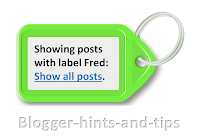
Delete, change or re-format the "Showing posts with label" message.

Image
This article explains options for deleting, or changing the content or formatting of Blogger's "Showing posts with  LABEL.  Show all posts" message and it's ugly grey box. If your blog has a Layout or Designer template , then when a person who is reading it chooses a label value, Blogger displays a page with (a summary of) your most recent posts with that label. If there are more posts that Blogger is willing to show on one page, then there will also be "older posts" and "newer posts" links at the bottom of the page. And - unless you have removed it - there will also be a message at the top of the page saying "Showing posts with label yourLabel. Show all posts " Reader actions that cause a visitor to see this message include: Clicking a value in your Label gadget Clicking a label value that is displayed in your post header or footer (unless you have turned them off in the Layout > Blog Posts edit option). Clicking a link that you have...

Removing the label values from the blog-post header or footer

Image
This article explains how to stop label values from showing in the header or footer lines for each post in a blog that is made with Google's Blogger. If you have used the Labels / Page-gadget approach to putting your blogposts into separate pages , then each of your posts will have one or more Labels attached to them. Most Blogger templates are set up so that these label values are shown with the posts, too, in either just underneath the post-title or in the post-footer. And when a reader clicks one of these post-specific label values , they are shown a "post-listing format" blog page, which includes ( the first part of) all posts which have that label. However some people want to stop their blogs from displaying this these label values perhaps because: They want their blog to look more like a real website They are using some labels which are meaningful to them as administrators but not to readers (eg at the moment, I'm using a label "ZZZ - needs 2013 review...