Posts

Delete, change or re-format the "Showing posts with label" message.
Image
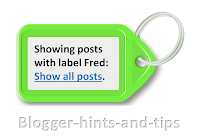
This article explains options for deleting, or changing the content or formatting of Blogger's "Showing posts with  LABEL.  Show all posts" message and it's ugly grey box. If your blog has a Layout or Designer template , then when a person who is reading it chooses a label value, Blogger displays a page with (a summary of) your most recent posts with that label. If there are more posts that Blogger is willing to show on one page, then there will also be "older posts" and "newer posts" links at the bottom of the page. And - unless you have removed it - there will also be a message at the top of the page saying "Showing posts with label yourLabel. Show all posts " Reader actions that cause a visitor to see this message include: Clicking a value in your Label gadget Clicking a label value that is displayed in your post header or footer (unless you have turned them off in the Layout > Blog Posts edit option). Clicking a link that you have...

How to show AdSense ads that are non-standard sizes

Image
This QuickTip is about AdSense's new custom-size-advertisement option, which lets you choose the height and width of each advertisement that you show on your site. Today, AdSense announced that we can now make ad-units in any size that we want - within certain restrictions.   They don't use the phase in the text of their announcement, but the post-URL for their says that this feature is  " the-next-evolution-of-responsive-ads " - so I guess it can be seen as part of the efforts to cater to mobile-readers and mobile site-publishers, even though these ads themselves don't adapt to according to the size of your visitor's screen. What will custom-size text ads look like: For text ads, AdSesne, will work out the best number of text ads to show in each ad-block, and the individual ads will be shown the same way they that the look inside the standard ad-sizes. Note that they say "For unique ad unit sizes, our system will need some time before it can optimize th...

Finding the co-ordinates of a place in the new Google Maps

Image
This article explains how to get the co-ordinates for a particular location in the new and old Google Maps interfaces. New vs old Google Maps In mid 2013, Google started rolling out a new version of Google Maps, which even now (Nov 2013) is still in Beta-testing and only works with Chrome and Firefox on desktop (ie not mobile) devices.  It's related to  Google Maps Engine Lite - a better tool for creating custom map  - not not exactly the same product. When I looked at Maps Engine Lite, one of the things I noticed is that there are a number of features which are missing from the new tool- and the lack of a right-click feature on map-positions means that lots of functions are accessed in a different, possibly non-intuitive, way. How to find the co-ordinates of a particular place in the new Google Maps Left click on the exact place that you want co-ordinates for. Notice that there is a small circle which radiates at that place, or the nearest on-street place.   It's a...

Adding tooltips or hover text to Blogger posts and gadgets

Image
This article is about putting a "tooltip" (text that is shown when you hover over) into something (eg text, a web-address or even a picture) in a Blogger post or gadget. What are tooltips? Tooltips are a feature found in many websites and modern computer based software:  when a viewer hovers their mouse over an item, a small piece of text is shown, generally formatted in a box which is highlighted in some way. They can be used for all sorts of things, to provide definitions of technical or foreign-language words, additional information about particularly interesting concepts - or as an incentive or invitation to take an action  eg you could tool-tip "click here to enter" with a description of the prize or benefits of entering.) You can see them in Blogger's Post Editor when you put your mouse over an item in the toolbar. But tool-tips can be used on other things too, including pictures and text: put your mouse over This Text to see one. They can be particularly...

Stop Google from "fixing" pictures that are loaded through Blogger

Image
This article is about how you can stop Google from automatically "enhancing" pictures that are loaded in Blogger - even if you do not have a Google+ account. Google has started automatically "fixing" new pictures as they are added to your blog In May 2013 Google added the Auto-Enhance and Auto-Awesome features to Google+ Photos. These are meant to make your pictures look better, ie more like those which are taken by professional photographers. These features are turned "on" by default. And because: Photos loaded using Blogger are stored in Picasa-web-albums, and Picasa-web-albums and as Google+ Photos actually have the same collection of photos - yes, even for accounts that do not use G+, the effect is that auto-enhance and auto-awesome are applied to all images loaded through Blogger's post-editor, header-picture loading tool and gadget-picture loading too;. Why is this a problem In many cases, these features work as they are intended to, and the...

How to let another person load pictures to your Picasa-web-album

Image
This article shows how to let another person (Google account) upload pictures to your Picasa-web-albums:   this is one possible way to work around the issues with Google's photo auto-enhance feature. Picasa-web-albums and your Google account Previously I've described Picasa desktop vs Picasa-web-albums , and noted that you can upload pictures to your PWA folders using either of the two pieces of software. Each album and folder in Picasa-web-albums belongs to one Google account (which may or may not have an associated Google+ account ). Google now provide a tool to transfer Picasa-web albums from one account to another - but only once ever in the life-time of the album.   You cannot transfer ownership to one person now, and to another person in  a year's time (which is quite different to the way you can easily transfer other aspects of your blog to a new owners ). And Google also provide a way for an account owner to let another Google account add photos to the owners ...

How to set up a Google+ profile for an existing Blogger account

Image
This article is about how to set up a Google Plus profile for a Blogger account which already exists.  It looks at the history of Blogger and Google accounts, how to make a Google+ profile for a Blogger account, and what the consequences of this might be. Google+ and Blogger accounts Once upon a time, you could sign up to use Blogger without using Google at all. Then Google purchased Blogger, and over time the two types of accounts were slowly combined - and everyone who had an old "Blogger-only" account was asked to convert it to a Google account , which also gave them access to other features like Picasa-web-albums, Analytics, etc. People who signed up to Gmail first found that this made them a Google account that had access to email (via a gmail address), and Blogger, PWA, etc. More recently, Google introduced Google+. Today, people who sign-up to use Blogger are asked for their real name during the registration process, and are automatically set up with a Google+ ac...